How to Create an Account
Creating an account on Recorder-ed is quick and easy! All new accounts are student accounts, allowing you to enroll in courses, register for workshops, and book private teaching sessions.
📹 Video Tutorial
Watch this short video for a complete walkthrough:
📋 Step-by-Step Instructions
Prefer to read? Follow these steps:
Step 1: Navigate to the Sign-Up Page
- Click the "Sign Up" button in the top right corner of any page
- Or visit the registration page directly

Step 2: Fill in Your Details
Enter the following information on the registration form:
- Email Address - Use a valid email you check regularly
- Password - Create a strong password (at least 8 characters)
- Confirm Password - Re-enter your password to confirm
- First Name - Your given name
- Last Name - Your family name

💡 Password Tips: Use a combination of uppercase and lowercase letters, numbers, and special characters for a stronger password.
Step 3: Verify Your Email
- After submitting the form, check your email inbox for a verification message from Recorder-ed
- Click the verification link in the email
- You'll be redirected to your dashboard
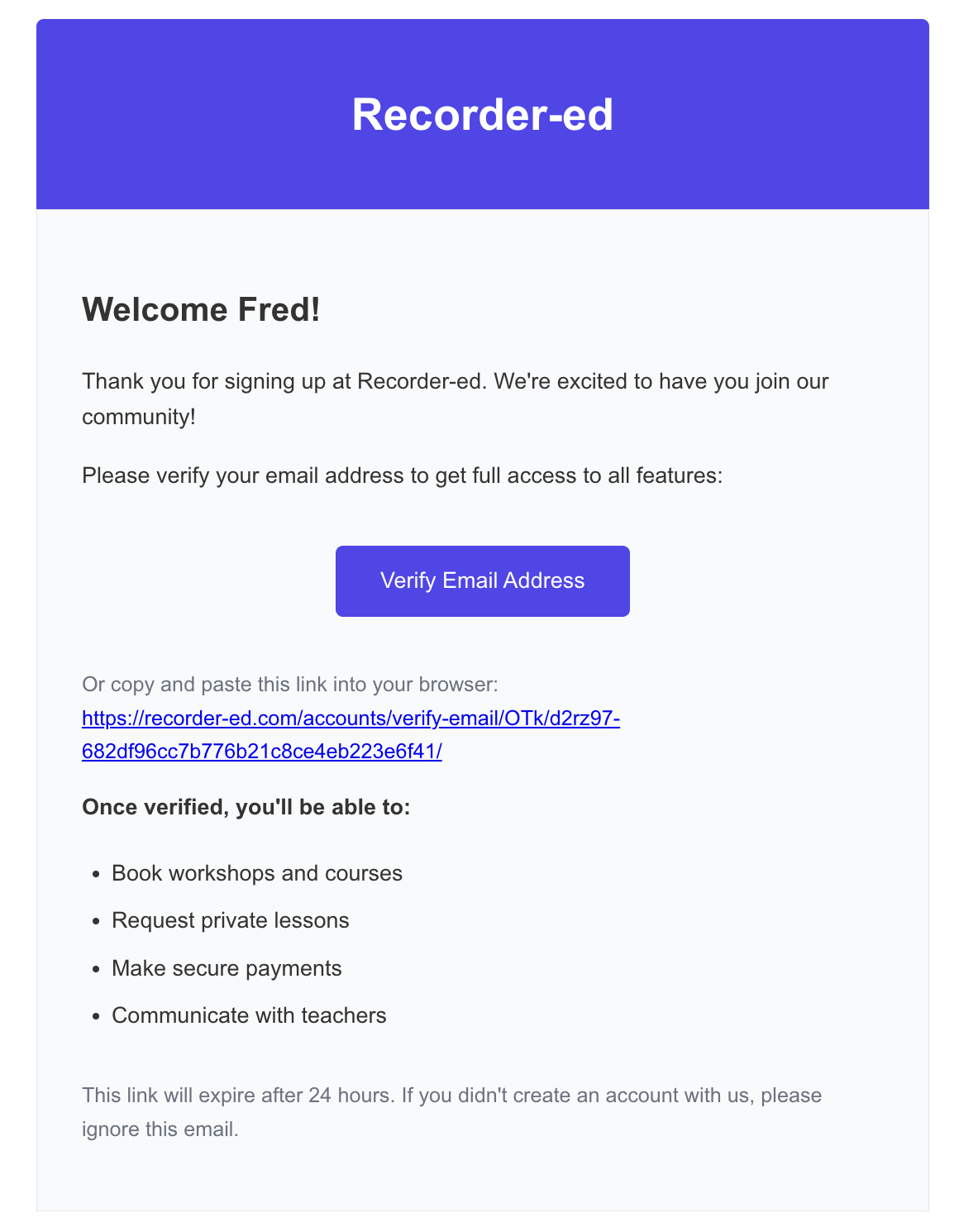
📌 Didn't receive the email?
- Check your spam/junk folder
- Wait 5-10 minutes (emails can be delayed)
- Click "Resend verification email" on the login page
Step 4: Complete Your Profile
After verification, enhance your profile with additional information:
- Profile Photo - Upload a photo to personalize your account
- Bio or Introduction - Tell us a bit about yourself
- Musical Interests - Share your interests and goals
- Skill Level - Help us recommend appropriate courses
- Contact Preferences - Choose how you'd like to receive notifications

✅ You're all set! Your account is now active and you can start exploring courses, workshops, and private teaching options.
🎯 What You Can Do With Your Account
As a registered student, you can:
- 📚 Browse and enroll in courses
- 🎪 Register for workshops
- 👨🏫 Book private teaching sessions
- 📊 Track your learning progress
- 📖 Access course materials and resources
- 🎓 Receive certificates of completion
- 💬 Message instructors and support
🔒 Security & Privacy
Password Requirements
- Minimum 8 characters
- At least one uppercase letter (recommended)
- Include numbers or special characters for stronger security
Account Security Tips
- 🔐 Never share your password with anyone
- 🚪 Always log out on shared or public computers
- 📧 Enable email notifications for account activity
- 🔄 Update your password regularly
🔧 Troubleshooting
"Email already exists"
This means an account with this email already exists. Try:
- Logging in instead of signing up
- Using the "Forgot Password" feature if you don't remember your password
- Checking if you have an existing account
"Invalid email format"
Make sure your email:
- Contains an @ symbol
- Has a valid domain (e.g., @gmail.com, @yahoo.com)
- Has no spaces or unusual special characters
"Password doesn't match"
- Carefully re-enter both password fields
- Check that Caps Lock is not enabled
- Copy-paste may include extra spaces—type manually instead
Can't verify email / Verification link doesn't work
If the verification link doesn't work:
- Request a new verification email from the login page
- Make sure you're clicking the most recent verification link
- Try copying the link into a different browser
- Clear your browser cache and cookies, then try again
- Still having issues? Contact support
🚀 Next Steps
Now that you have an account, here's what to do next:
- 📚 Browse our Course Catalog to find courses that interest you
- 🎪 Check out Upcoming Workshops for live learning opportunities
- 👨🏫 Find Private Teachers for one-on-one instruction
- ⚙️ Complete your profile for personalized course recommendations
💬 Still Need Help?
Can't find what you're looking for?
- 🔍 Search our Help Center for more articles
- 📧 Email Support at support@recorder-ed.com
- 🎫 Create a Support Ticket - We're here to help!
Last Updated: January 2025
Was this article helpful?